Discover how Chati's self-service licenses give you full control - build, update, and launch virtual events on your terms. Register for our free webinar today!
July 2026
This release is a big one: our Salesforce integration is officially in beta, we've rolled out two brand-new space template sets, and we've made real improvements across the platform.
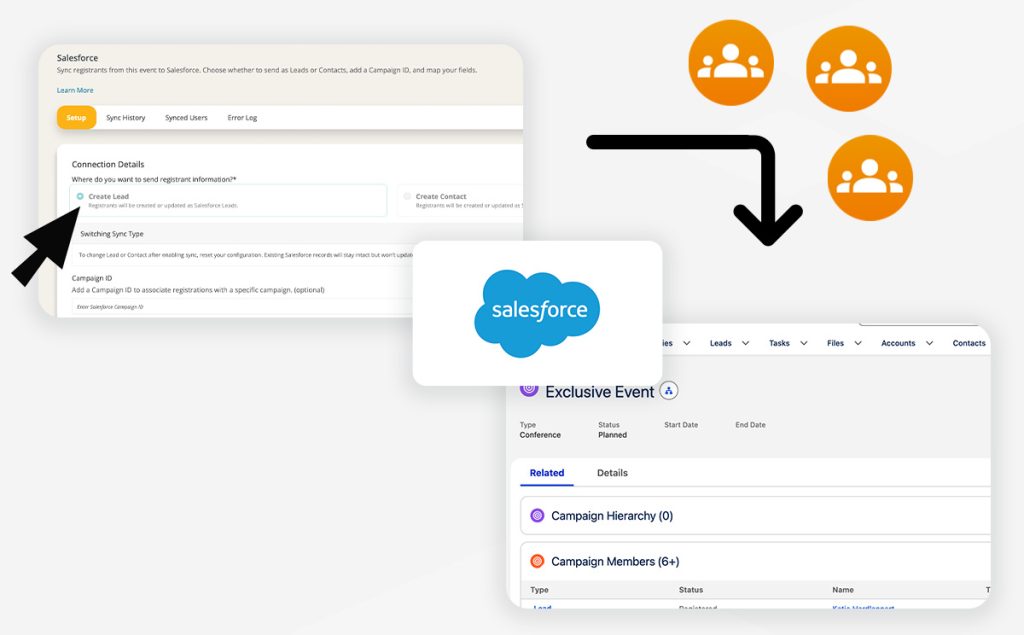
Salesforce Integration (Beta)
You can now connect your Salesforce org directly to Chati. Once connected, registrants sync automatically as Leads or Contacts, complete with campaign tracking, custom field mapping, and a full sync/error log so you always know what's happening. We're looking for a few client partners to test this out on an upcoming event — reach out to your Chati contact if you're interested.
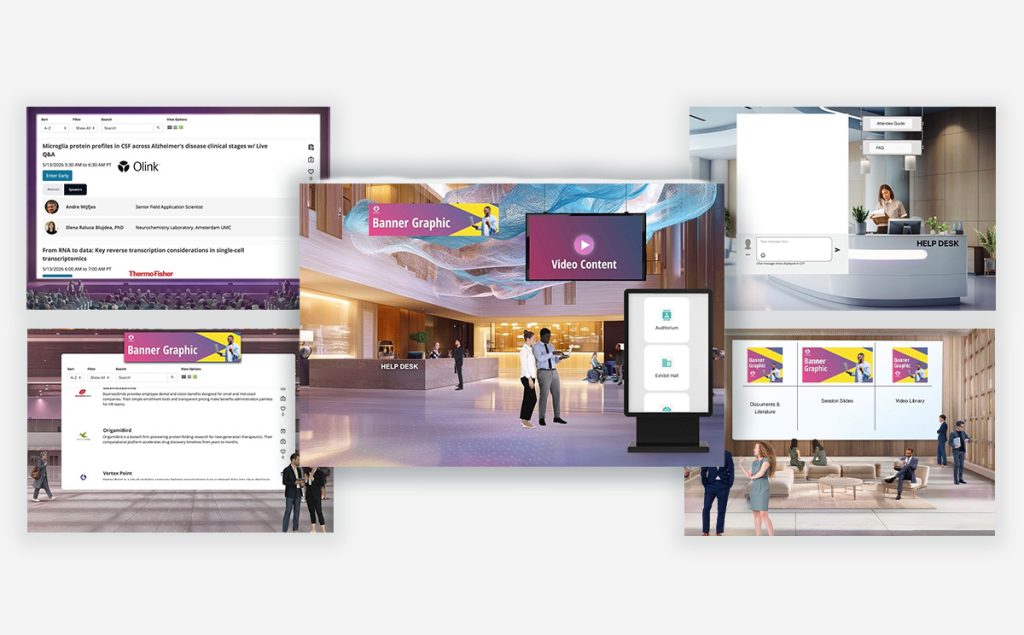
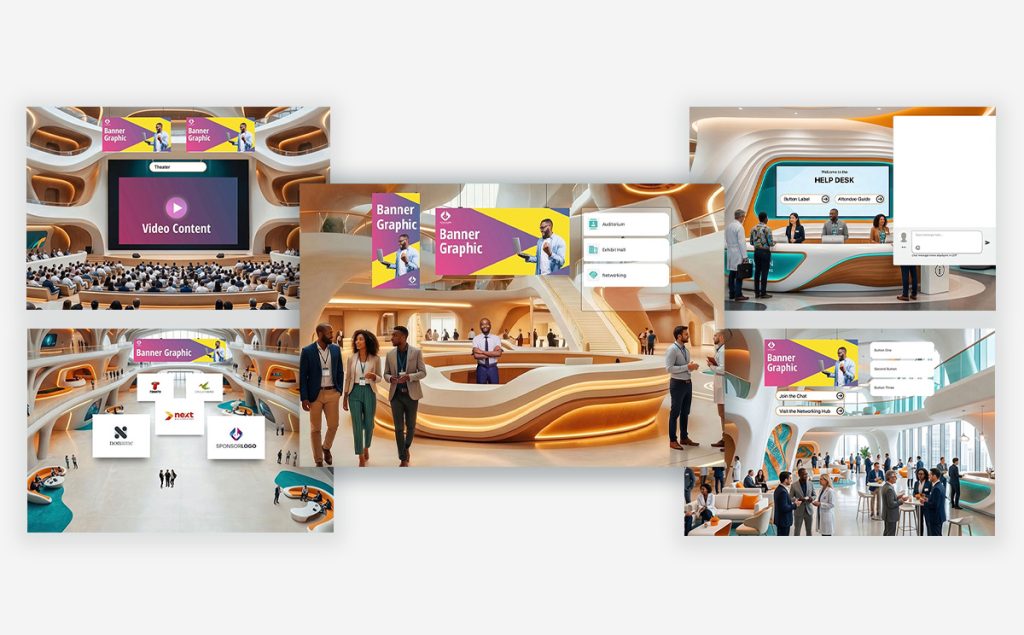
Two New Space Template Sets: Prism & Ember
Building an event just got easier. Prism brings a sleek, gradient-lit aesthetic built for tech conferences and product launches — Lobby, Auditorium, Exhibit Hall, Resource Center, and Help Desk. Ember brings a warm, wood-and-teal look tailored to healthcare and medical events — Lobby, Auditorium, Exhibit Hall, Networking Lounge, and Help Desk. Both sets are ready to use straight from the template picker.
Email Updates
You can now set a friendly "From" name and a reply-to address on your email distributions.
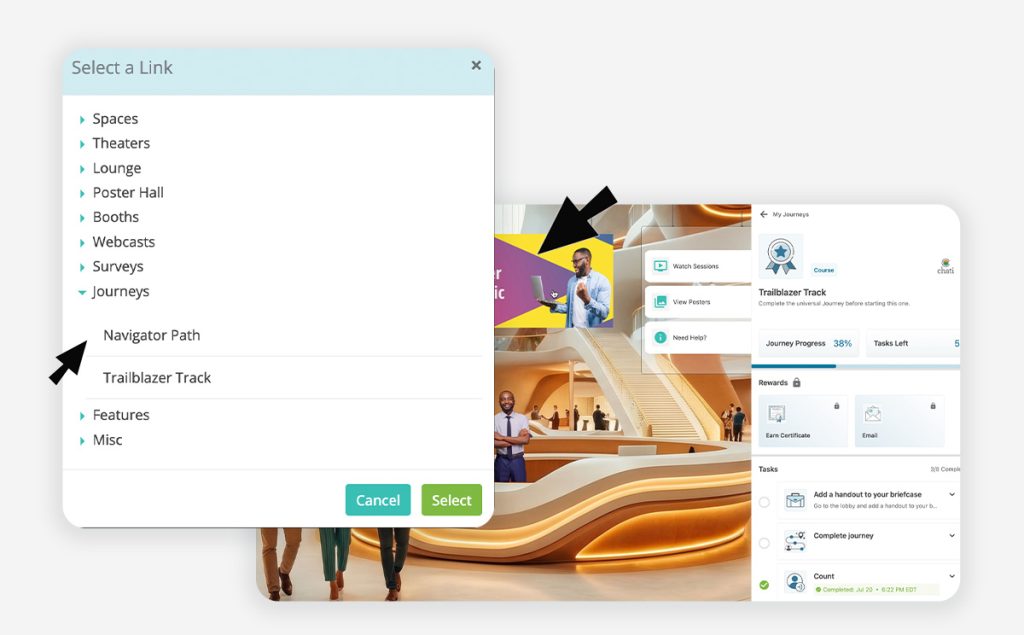
More Ways to Organize Your Journeys
Journeys now support a custom display order, so you control the sequence attendees see. You can also link directly to a specific journey from any link picker in the platform, and when you copy an event or event structure, you now have the option to copy journeys along with it instead of rebuilding from scratch.
More Control Over Modals
Modal size is now configurable when you're linking to a modal from a dynamic banner or navigation menu item rather than being locked to one default size.
Reporting: Unique Handouts Viewed
The Registrant Activity Summary report now includes a Unique Handouts Viewed field, giving you a cleaner view of engagement per attendee.
Our team is here to help. If you have questions on updates or want to share feedback with us, send us an email at support@chati.com.
April 2026
This month we shipped something we've been working toward for a long time: a completely new approach to space templates. We’ve introduced two new immersive template sets — Canopy and Cobalt — alongside a redesigned template selector that makes building events faster, cleaner, and more intuitive than ever. Plus a handful of quality-of-life improvements across the board.
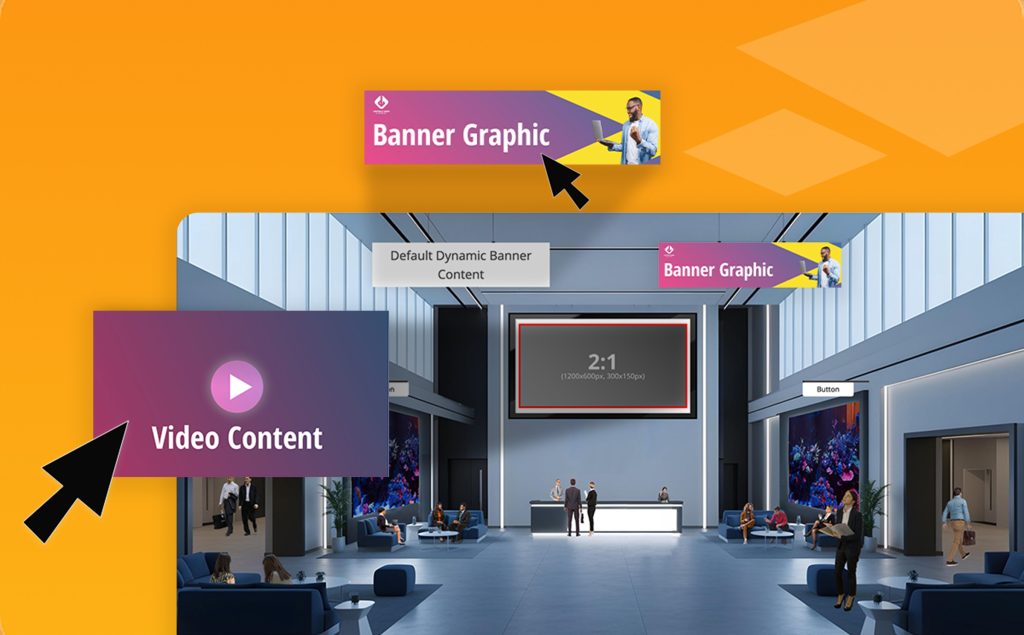
Canopy & Cobalt: Immersive Space Template Sets
Say hello to Chati's first cohesive template collections. Canopy brings a natural, open-air conference feel with greenery and organic tones, while Cobalt delivers a sleek, professional environment in deep blues and moody contrast.
Each set includes templates for your lobby, auditorium, lounge, exhibit hall, and help desk — designed to work beautifully together so your event feels like a unified experience from the moment attendees walk in. Both sets are fully responsive (yes, mobile too), easy to customize, and built specifically with self-service event builders in mind.
If you've ever stared at a blank space and wondered where to start, these templates are your answer.
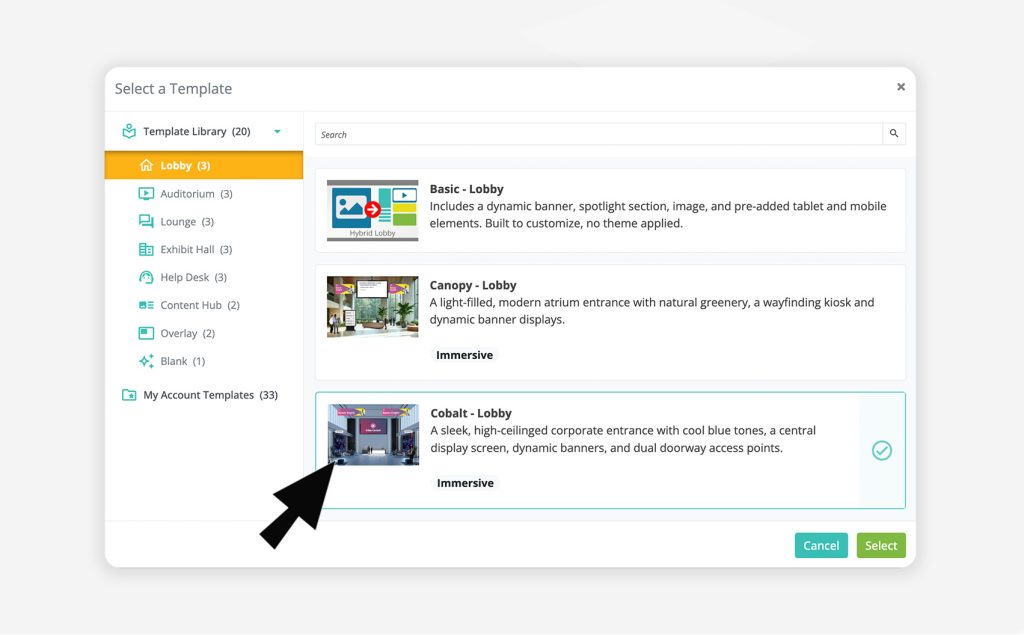
Template Selection is Now Easier
We've completely redesigned the template selector across the platform — for spaces, webcasts, email, registration, and more. Templates are now organized in a clean left-hand panel by category, so finding what you need is fast and obvious. For spaces specifically, the new taxonomy means every template is labeled by style (like Canopy or Cobalt), space type (lobby, auditorium, etc.), and a type badge so you always know what you're working with.
Template Preview
Before committing to a template, you can now hover over any option and click a preview button to expand a full thumbnail view. See exactly what a space looks like before you select it — a small addition that makes a big difference when you're making quick decisions.
Template Change Notification
When you switch templates in the space editor, you'll now see a clear notification letting you know the editor will reset to the new template's defaults. Your uploaded assets (handouts, videos, etc.) are safe — but you'll need to relink them in the editor. We'd rather you know upfront than wonder why things need reconnecting.
Legacy Template Cleanup
We've retired 3D, inline, and several hybrid templates that were non-responsive and no longer reflected the quality bar we're building toward. The templates that remain have been renamed and updated with clear, user-friendly descriptions.
Events using a retired template will not be affected. However, if you switch to a different template, the retired template will no longer be available for reselection.
Our team is here to help. If you have questions on updates or want to share feedback with us, send us an email at support@chati.com.